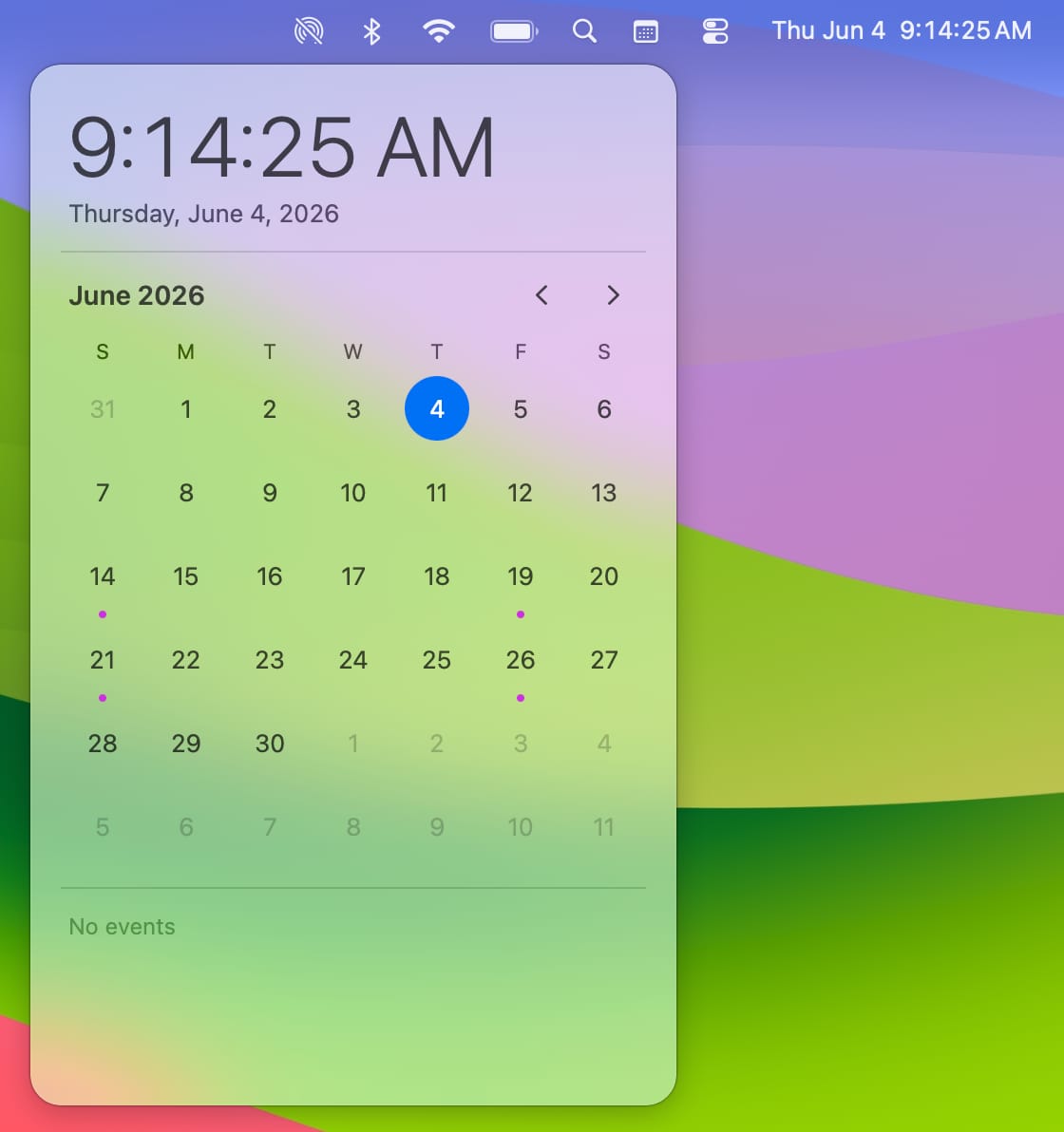
Month grid with event dots
Today is highlighted, busy days are visible at a glance, and the whole month fits in the flyout.
A simple calendar for your macOS menu bar.
Productivity · macOS
QuickCal is ad-hoc signed but not notarized yet, so macOS may call the first launch “damaged”. The repository documents the one-line fix, and notarization is on the roadmap.
What's inside
Today is highlighted, busy days are visible at a glance, and the whole month fits in the flyout.
Click the month and year header to move from Month to Year to Decade and back again.
Your events, pulled from Apple Calendar through EventKit, listed under the grid. Click one to open it.
Keep the system clock and add a calendar icon, or switch the system clock to Analog and let QuickCal supply the digital readout.
12/24-hour, seconds, day of week, date and flashing separators — all optional.
No Accessibility permission, no helper processes. Uninstall from the menu and it removes its login item and preferences.
Getting started
Get the latest QuickCal-<version>.dmg from Releases, choosing the build for your Mac.
Open the DMG and drag QuickCal into your Applications folder, like any other Mac app.
If macOS says the app is damaged, run xattr -dr com.apple.quarantine /Applications/QuickCal.app once. Then open QuickCal and pick your mode.
xattr -dr com.apple.quarantine /Applications/QuickCal.app
QuickCal FAQ
QuickCal is not notarized by Apple yet, so Gatekeeper blocks the first launch of a downloaded copy. It is a quarantine flag, not a broken app. Run xattr -dr com.apple.quarantine /Applications/QuickCal.app once and it opens normally from then on.
macOS 26 or later, on Apple silicon and Intel Macs.
Yes. It is MIT licensed, and the source is public on GitHub.
It asks for calendar access through the standard EventKit prompt so it can show your agenda. It does not need Accessibility permission and does not install background agents.
No. Your accounts already sync through Apple Calendar; QuickCal reads what Calendar shows through EventKit and never talks to a server of its own.
Calendar icon mode leaves your system clock alone and adds a small calendar icon. Analog Companion mode expects the system clock style to be Analog and replaces the readout with QuickCal’s configurable digital clock.
Right-click the menu-bar icon and choose Uninstall. It removes the login item and all stored preferences; a script-based uninstaller is also included in the repository.
Keep browsing